Agent updates
The Trakkwise agent keeps itself up to date: it installs new signed releases on its own, in the ring you choose. This page explains the rings, how to pause updates, what the agent checks before installing anything, and how Linux packages are updated instead. The browser extension updates through the Chrome, Edge and Firefox stores, not here.
Choosing a ring
Admins choose the ring in Settings → Deploy → Agent updates.
| Ring | Gets |
|---|---|
| General | Releases once they have run on early devices. Recommended for most devices. |
| Early | New releases a few days sooner. |
| Canary | Every release first. For test devices. |
| Paused | No updates: agents stay on the version they run. Use this if your MDM deploys the agent's versions itself. |
- Open Settings → Deploy and scroll to Agent updates.
- Choose a ring and select Save.
The ring applies to every agent in your organization. After saving, the console says which version agents move to (Saved. Agents move to 1.4.0 over the next few hours.), or that no release is available in that ring yet.
Screenshot Agent updates in Settings → Deploy
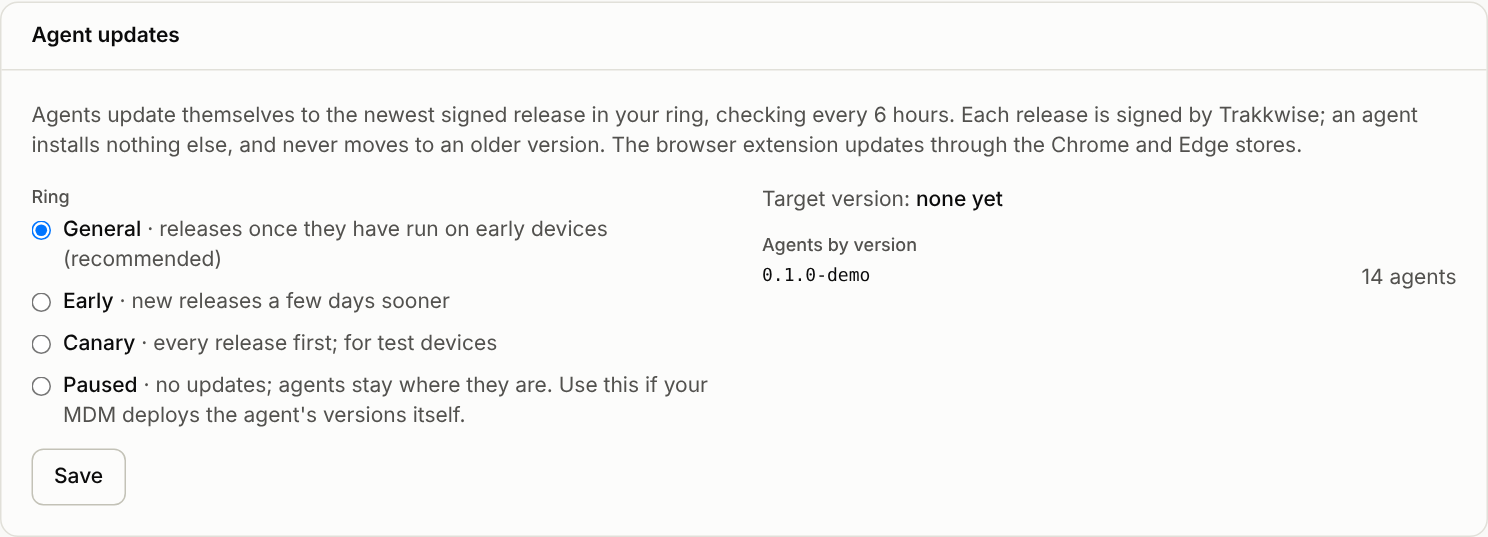
Next to the rings you see:
- Target version: the release your agents move to, or none (paused).
- Agents by version: how many agents run each version; the target is marked current.
- Releases: the latest releases and the ring each is in.
How agents update
- Each agent checks for an update every 6 hours.
- It only moves to a newer version, never an older one.
- Pausing stops updates; agents stay on the version they run. Choosing a ring again resumes them.
On General, your agents get a release only once it has run on early devices.
What the agent checks
Every release is signed by Trakkwise. Before installing, the agent checks that:
- the release's manifest is signed with Trakkwise's release key, which is built into the agent;
- the downloaded file matches the manifest's checksum and size;
- the version is newer than the one it runs.
If any check fails, it installs nothing and keeps running the version it has. The Trakkwise service only says which signed release to look at: it can't make the agent run anything else.
Linux packages
An agent installed from Trakkwise's apt or dnf repository (or from a .deb or .rpm file) doesn't
update itself. It's upgraded by the package manager with the machine's other updates, so the ring
setting doesn't apply to it. Agents installed with trakkwise-install-linux.sh do update themselves.
Use one or the other on a machine, not both. Setup is in Deploying with an MDM.
Checking a device's version
Devices shows each device's version. A device whose version stays behind the target may be offline or stuck: see a device isn't reporting.